ScreenCloud alternative
The ScreenCloud alternative built for restaurants.
ScreenCloud shows what you upload. Retailr shows what your POS says — prices, sold-out items and dayparts, synced from Clover, with board design included and support based in Canada.
Short answer
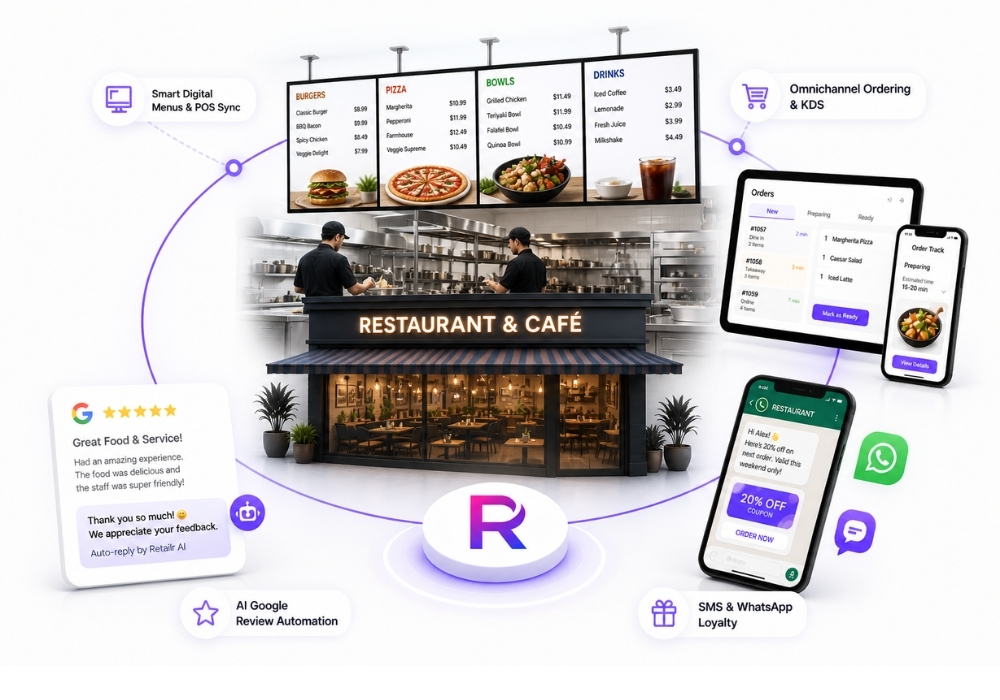
Retailr is the ScreenCloud alternative for restaurants and retail. ScreenCloud is enterprise workplace signage at $20 to $30 a screen. Retailr is $15 a screen, syncs your menu from Clover, includes board design, and adds ordering, reviews and loyalty on one plan — with support in Canada.
ScreenCloud pricing as published in October 2026. Prices change — check their site before deciding.
Feature by feature
Retailr vs ScreenCloud.
Included ~ Partial Not available
Being fair about it
What ScreenCloud is genuinely good at.
ScreenCloud does well
- Polished, enterprise-grade CMS
- Strong dashboards and internal-communications tooling
- Mature governance: SSO, roles, staged rollouts
- Good app library for workplace data
Where it falls short for restaurants
- $20 to $30 a screen — the highest of the mainstream platforms
- Built for workplace comms, not restaurant menus
- No Clover menu sync
- No ordering, reviews or loyalty
- UK head office; no Canadian installation service
Why restaurants switch
Three reasons, every time.
Paying enterprise rates for a menu board is the most common reason restaurants leave ScreenCloud.
The menu lives in the POS
Change a price in Clover and the boards, QR menu and Google listing follow. No second system to maintain.
Design is included
We build your boards from your menu and photos. With a general CMS, that’s your evening or a freelancer’s invoice.
One platform, not four
Ordering, kitchen display, reviews, loyalty and Google sync on one $199 plan instead of a vendor each.
Someone in your timezone
We’re in Kitchener, Ontario, and we install in most Canadian markets.
Switching
Moving from ScreenCloud takes about two weeks.
Send us your boards
A screenshot of what you run now and your POS login. We’ll tell you what carries over.
We rebuild them
Your menu, designed and synced to your POS. You approve before anything goes live.
Run both, then cancel
Keep your existing screens and players. Switch one board at a time, cancel ScreenCloud when you’re happy.
ScreenCloud alternative FAQ
Questions before you switch.
Price, POS sync, hardware and how long a move takes.
01What is the best ScreenCloud alternative for restaurants?
For restaurants, Retailr. It syncs menu boards with your Clover, Square or Lightspeed POS so prices and sold-out items update automatically, includes board design in setup, and costs $15 per screen per month with support based in Canada.
02Is Retailr cheaper than ScreenCloud?
Yes. ScreenCloud is $20 to $30 per screen per month; Retailr is $15, with board design included and no separate charge for the POS integration.
03Does ScreenCloud sync with Clover POS?
ScreenCloud has no live Clover menu integration — you upload and maintain the menu content yourself. Retailr installs from the Clover App Market and reads items, prices, categories, modifiers and 86 status directly.
04Can I keep my existing screens and players?
Yes. Retailr runs on any TV with an HDMI port using a small player, and on Fire TV and Android TV devices directly. You don't need to replace hardware to switch.
05How long does switching take?
Usually under two weeks. We rebuild your boards from your menu, you approve them, then screens are paired one at a time. Run both systems side by side for a few days before cancelling the old one.
06Do I get Canadian support?
Yes. Retailr is based in Kitchener, Ontario, with installation available in most Canadian markets and support in your timezone.
Compare it on your own menu.
Bring what you run today. We’ll show you where Retailr wins and where it doesn’t.