Smart Retail Store
Your store has been running blind. This fixes that.
Online stores know what was viewed, tried and abandoned. Physical stores know what was sold. Retailr closes the gap — window to shelf to fitting room to till, on one platform.
Works with your existing screens and RFID tags · one console for every store
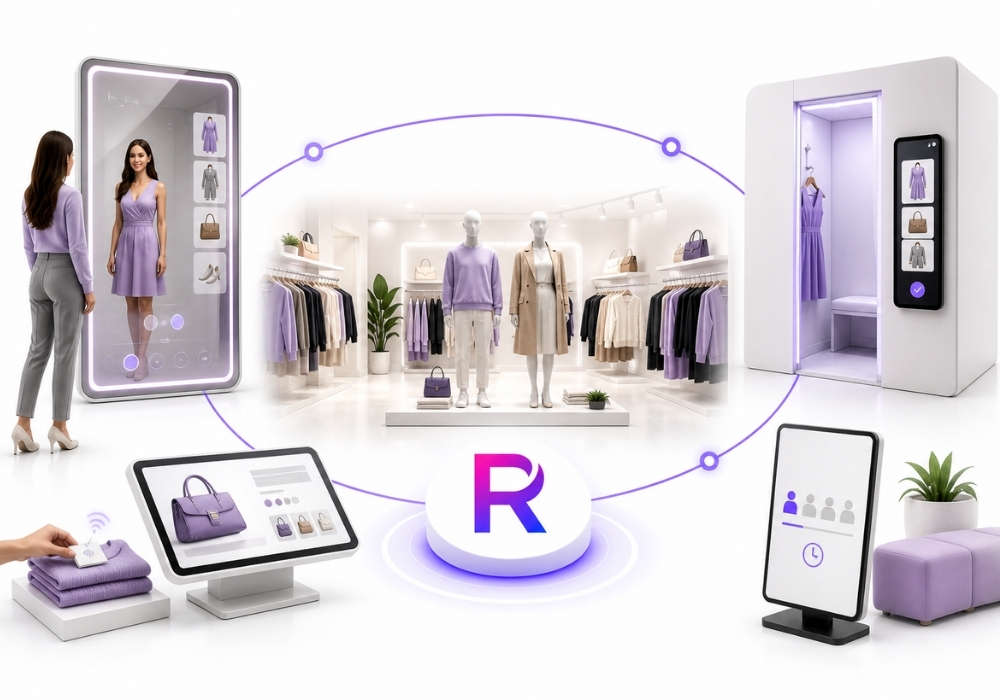
The store plan
Six touchpoints, one system behind them.
This is a store floor from above. Every marked position is a place Retailr either shows something or learns something — usually both.
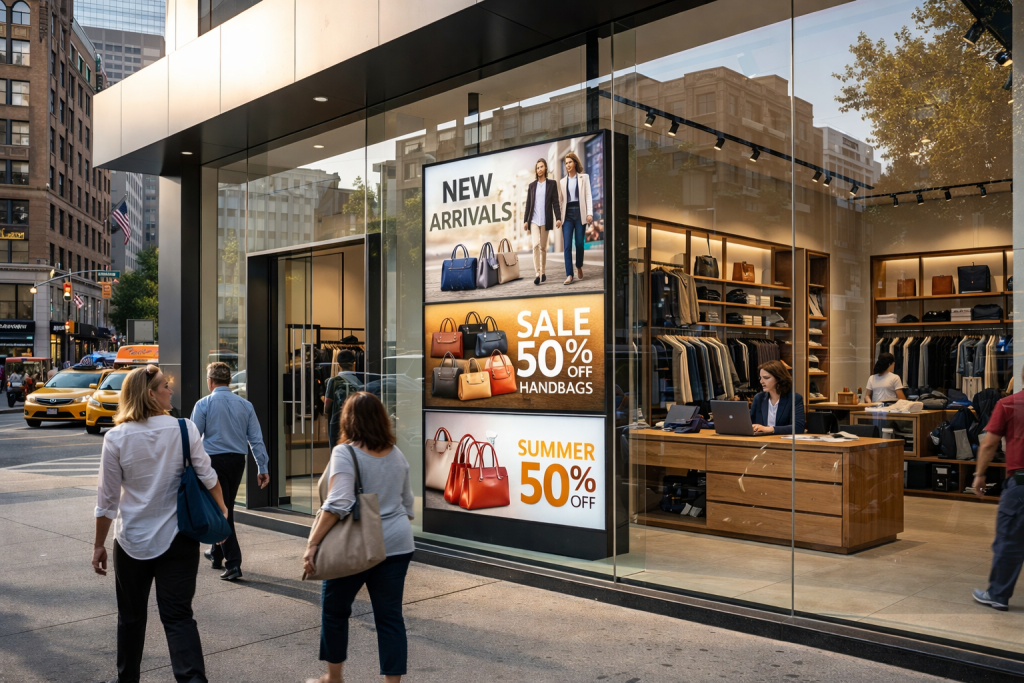
01 · The window
Your best merchandiser never takes a day off.
A 3000-nit display that stays readable in direct sun, switching by daypart, weather and what's actually in stock behind the glass.
02 · The shelf
Pick it up and the shelf starts selling.
RFID, NFC or a weight pad detects the lift and fires the product story on the nearest screen — and logs that someone was interested.
03 · The mirror
The mirror does the imagining.
Photorealistic try-on rendered on a local NVIDIA GPU in seconds. Out of stock in their size becomes an order to their door instead of a lost sale.
04 · The fitting room
Nobody gets half-dressed to find a size.
RFID reads what came into the room. A presence sensor knows if it's occupied. There is no camera in there at all.
05 · The checkout
The last two minutes decide whether they come back.
Queue screens
Ticketed queues and live wait times for service counters, click-and-collect and busy Saturdays.
Upsell at the till
The right add-on for this basket on the POS or the associate's tablet, one tap to add.
Review prompt
Happy customers get a one-tap path to Google before they've left the car park.
Loyalty on the transaction
Points and offers redeem at the till, not on a second terminal.
06 · What you finally get to see
The numbers your POS was never able to give you.
A till records what sold. The floor records what was wanted — and the gap between the two is where the money is.
Lifted, not bought
Products that attract hands and lose the sale — a price, fit or story problem you can act on.
Tried, not bought
Fitting-room data on the sizes and styles that fail at the last step.
Sizes requested
What shoppers asked for that wasn't on the floor, by store and by week.
Zone performance
Rack, endcap and window engagement compared across locations and layouts.
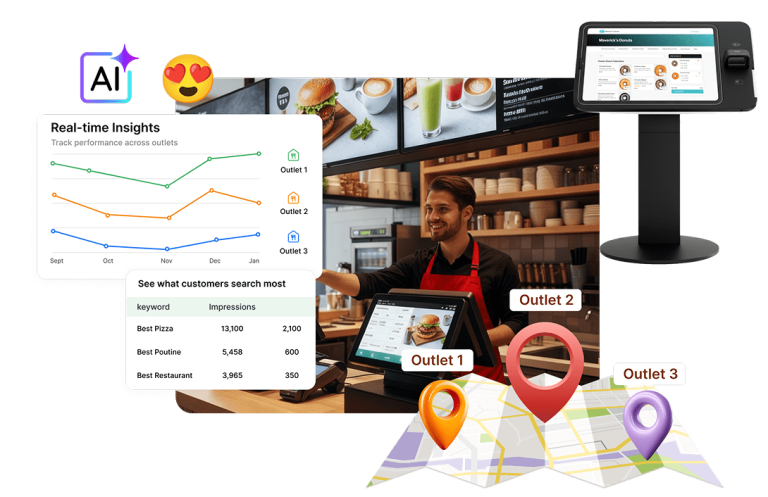
Multi-store
Ten stores. One screen. One evening.
Push a campaign, a price change or a brand refresh to every store at once — or just the two on the highway.
Also available
The rest of the toolkit, pointed at retail.
Smart deals
Promotions generated from slow-moving stock, inside margin guardrails you set.
Upselling CRM
Add-on suggestions on the shelf, in the room and at the till — HubSpot, Salesforce or built in.
Loyalty & games
Spin-to-win and streak rewards that turn walk-ins into profiles.
Interactive kiosks
Endless aisle ordering, product discovery and self-service checkout.
Occupancy sensors
Live counts for busy zones, shown on the wall so shoppers stop asking.
Back-of-house screens
Shift notes, targets and safety reminders in the staff room.
Google profile sync
Hours, offers and photos current across every location's listing.
Multi-language screens
Content in the languages your shoppers actually speak, per store.
Emergency broadcast
Take over every screen instantly, then hand them all back.
Getting started
Start with screens. Add the sensors when you're ready.
Nobody rolls out mirrors and fitting rooms on day one. Most stores start with the window and the floor, then add a module at a time.
Walkthrough
Fifteen minutes on a call. We look at your store, your screens and your tags.
We build it
Templates and product content built from your photos and price list. You review.
Plug in
Players arrive pre-configured. Sensors and readers follow if you're adding them.
Train & launch
Half an hour with your floor team, then we stay on call.
The things people ask us first.
Do we have to replace our screens?
No. A small player plugs into the HDMI port on displays you already have. Window positions usually do need a brighter panel — we'll tell you which.
Do shoppers need an app?
Never. Everything opens in the phone browser from a QR code on a screen, a shelf card or a mirror.
Do we need to re-tag our stock?
Usually not. If you already tag with RFID or NFC for inventory, Lift & Learn and the fitting rooms read those same tags.
Is there a camera in the fitting room?
No. Detection is RFID plus a presence sensor that reports occupied or empty. No lens, no image, no recording.
Can we start with one part of the store?
That's what most people do. Window and floor signage first, then shelves, mirrors or rooms as the data proves out.
We run several stores. One account or several?
One account, with a group view across every store, templates that push everywhere at once, and per-store overrides.
Send us your floor plan.
We'll mark where the screens, sensors and mirrors go — and what each one would tell you that you can't see today.