Upselling CRM

The upsell nobody has to remember to make.

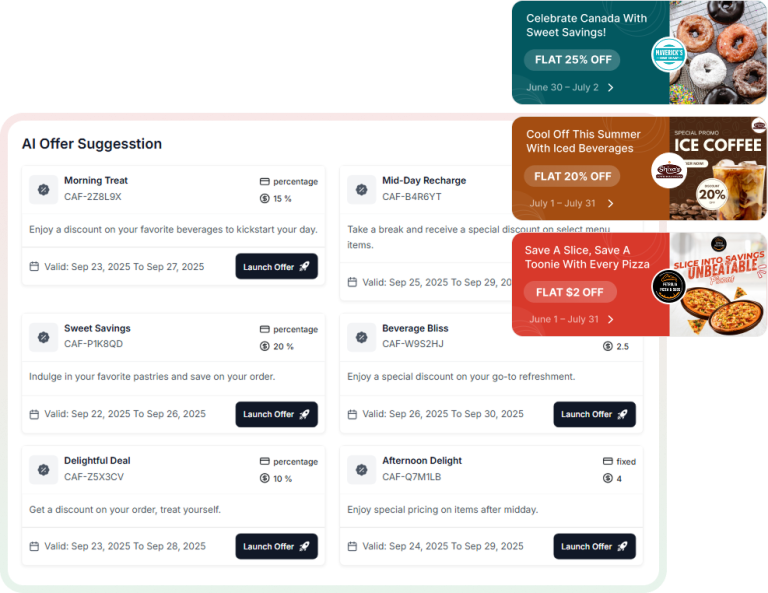
Your best associate suggests the right add-on every time. Everyone else forgets, or guesses. Retailr puts that suggestion on the screen, the kiosk, the mirror and the till — built from what the customer actually buys.

Works with HubSpot and Salesforce — or use the Retailr CRM with upselling built in.

AI-based personalised offers
Bought: running shoes
Suggested: socks + insoles

Signals in. The right suggestion out.

The engine reads what's happening now and what this person has done before, then puts the offer on whichever surface they're standing in front of.

SIGNALS Basket right now Purchase history Lifted & tried items Stock & margin Upsell engine Rules you set + patterns it finds SURFACES Screens & menu boardscomplete the look, beside the item Kiosk & QR menuadd-on offered before checkout Smart mirror & fitting roommatching pieces already in stock POS & associate tabletprompt at the till, one tap to add SMS & WhatsAppthe follow-up after they leave

Use the CRM you already have. Or don't have one at all.

Most upselling tools assume a CRM stack you may not run. Retailr works three ways, and the in-store behaviour flows into whichever you pick.

Option 01

HubSpot

Keep HubSpot as your source of truth. Retailr syncs contacts, in-store activity and offer redemptions into it, so marketing builds lists on real store behaviour rather than email opens alone.

  • Contacts and company records synced
  • Store visits and try-ons as timeline events
  • Offers and redemptions written back
  • Lists and workflows trigger on in-store activity
Option 02

Salesforce

For enterprise and franchise groups already standardised on Salesforce. Retailr feeds the floor data in and reads segments back out, so head-office campaigns reach the screens in each store.

  • Two-way contact and account sync
  • In-store engagement as activity records
  • Segments drive on-screen targeting
  • Role and region mapping for multi-site
Option 03

Retailr CRM

Built in, with the upselling engine already wired to it. Nothing to license, nothing to integrate — profiles build themselves from the POS, the mirror and the fitting room from day one.

  • Customer profiles built from real orders
  • Upsell rules and AI suggestions included
  • SMS and WhatsApp campaigns built in
  • Loyalty, offers and reporting in one place

Running something else? Most CRMs connect through the same API layer — tell us what you use and we'll confirm before you commit.

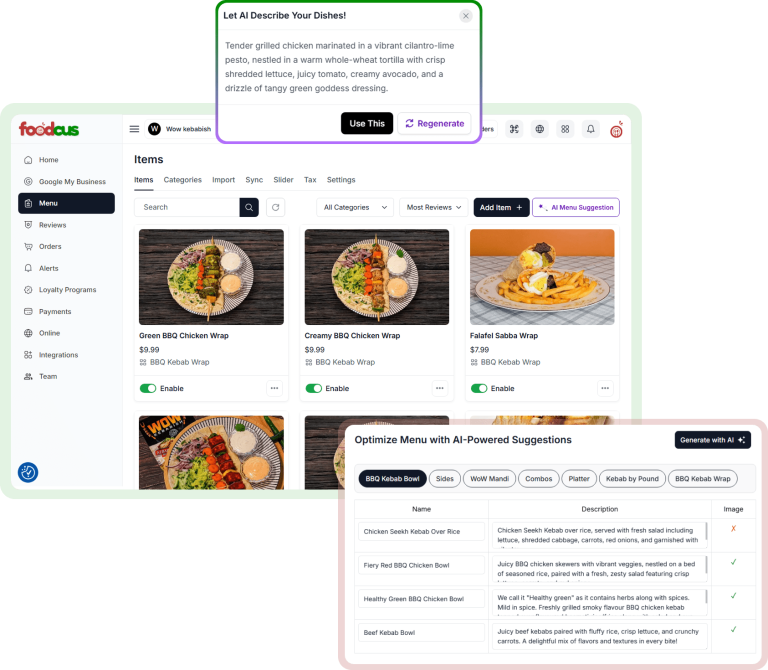
AI-powered product and offer suggestions

Rules you set. Patterns it finds.

You'll always know why a suggestion appeared. Merchandising sets the hard rules; the engine fills the rest from what actually sells together.

Your rules first — never suggest below margin, never suggest out of stock, always pair these two Learned pairings — items that repeatedly sell together in your stores, not a generic model Per-location — the pairing that works downtown isn't the one that works in the suburbs Margin-aware — the engine can favour high-margin add-ons where two options fit equally Overridable — pin a promotion to the top when the campaign calls for it

The same suggestion, everywhere they might say yes.

On the screen

"Complete the look" beside the item they just picked up on the sensor rail.

In the fitting room

Matching pieces suggested from the garments RFID already detected in the room.

At the till

A prompt on the POS or the associate's tablet, one tap to add to the sale.

After they leave

The add-on they skipped, sent by SMS or WhatsApp while it's still relevant.

Know which suggestions actually earned money.

Every suggestion is logged with what happened next, so you can turn off the ones that annoy people and keep the ones that pay.

Attach rate

How often a suggestion turned into an added item, by pairing and by surface.

Revenue per suggestion

What each rule earned, so low performers can be retired.

Surface comparison

Screen versus fitting room versus till — where your customers actually convert.

By store and region

Rankings across locations, so head office can copy what works.

Questions we get asked.

Do we have to replace our CRM?

No. If you run HubSpot or Salesforce, Retailr syncs to it. The built-in Retailr CRM is there for businesses that don't have one, or don't want another licence.

Where do the suggestions come from?

Your rules plus patterns from your own transaction data — what sells together in your stores. You can see and edit every rule.

Will it suggest things we don't have in stock?

No. The engine checks live inventory through your POS before anything is shown.

Can franchisees set their own pairings?

Within the limits head office defines. Global rules stay locked; local ones are theirs.

What about customer consent?

Personalised messaging follows the consent captured at signup, and customers can opt out from any message. On-screen suggestions in-store don't require identifying anyone.

How long before we see anything?

Rule-based suggestions work on day one. Learned pairings need a few weeks of transaction history to be worth trusting.

Let's find the pairings hiding in your sales data.

Bring a few months of transactions. We'll show you what already sells together — and what you've never been suggesting.