Sample 01
Education & explainers
Short informational pieces that give a waiting audience something worth watching.
Retailr AI Studio
AI Studio checks the stock and margin in your POS, writes the offer, designs it in your brand and puts it on every screen — before it becomes a write-off.
Margin floor respected · approval before publish · ends automatically
Every flash sale needs artwork. Hiring an agency for each one eats the margin the sale was supposed to make — and by the time a promo is designed, printed and scheduled, the weather has turned or the stock is gone.
So most screens end up running the same three slides for a season. AI Studio exists to break that.
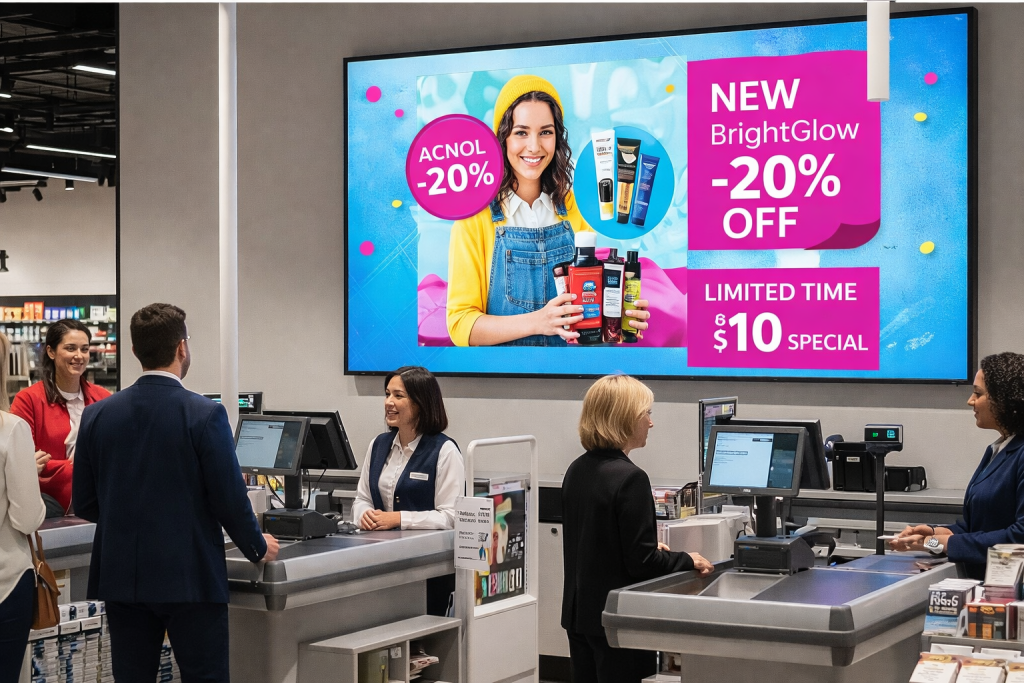
Your in-house designer
Type what you want to sell. AI Studio writes the headline, builds the graphic at the right size, and keeps it inside your brand.
Screen-ready at the right resolution and aspect ratio, first time.
Headlines and calls to action that suit the category — a burger reads differently to a coat.
Set colours, fonts and logo once. Everything generated looks like your marketing team made it.
Want to tweak it? Open the generated design in Canva and publish from there.
Assets & libraries
Generation is only as good as what it has to work with. AI Studio draws on a stocked library, your own catalogue, and models trained on real retail and restaurant creative.
A ready library of food, beverage, fashion and general merchandise shots, so a promo has something to show even before you've photographed anything.
Tuned on menu boards, window displays and promotional layouts — not general-purpose image generation that puts the price in the wrong place.
Connect your e-commerce product images, brand assets and existing campaign files. Generated content uses your real products, not stock lookalikes.
Model layer
AI Studio runs on our own trained models and connects to leading general models, so you get the best output for each job — and you're not stranded when something better ships next quarter.
Trained on retail and restaurant creative for layout, menu structure and promotional composition.
Connects to leading general models for copywriting, translation and image work where they're stronger.
Copy, artwork and product imagery each route to whatever performs best, without you choosing.
For deployments that need it, generation can run on local NVIDIA hardware in your own environment.
Ready-made video library
Screens can't run promotions all day. The library gives you category content to sit between them — pick a category, drop it in a playlist, schedule it.
Short informational pieces that give a waiting audience something worth watching.
Seasonal awareness and lifestyle content, refreshed so a screen never looks stale.
What you offer and how it works — the content that answers questions before they're asked.
Trigger-based promotions
A static loop can't tell that it started raining. Set the rule once and the screen handles the rest.
it starts raining
thenwindow displays switch to umbrellas and hot soup
the clock hits 10:30
thenbreakfast boards become the lunch menu
stock falls below 5 units
thenthe promotion is pulled from every screen and Google
someone stops in front of the screen
thenthe loop switches to interactive content
a line forms at the till
thenqueue screens take over from the promo reel
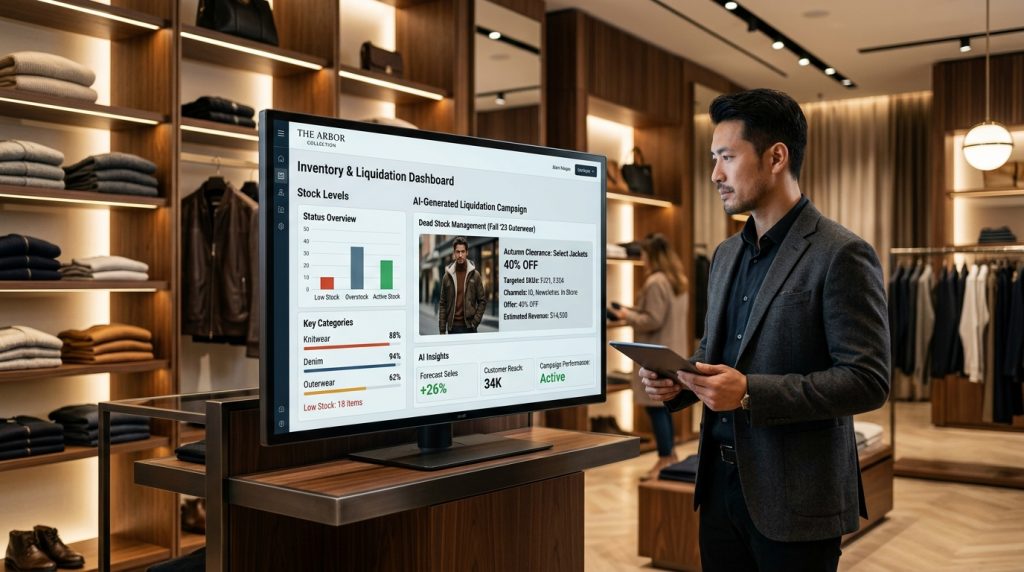
Inventory-driven campaigns
Promotions should follow stock levels. AI Studio watches the POS and builds the campaign the inventory is asking for.
One-click omnichannel publishing
A great promotion only works if people see it. Distribution shouldn't be a second job.
Push to one end-cap display or 500 franchise locations at the same moment.
Tweak the AI's design in Canva and publish straight back to your screens.
The in-store promo becomes a Google offer post, so local searchers see the same deal.
The same creative goes out to social and to your SMS and WhatsApp lists.
You stay in charge
The fear with automated marketing is waking up to a discount you never approved on a screen you forgot about. So approval is a setting, not an afterthought.
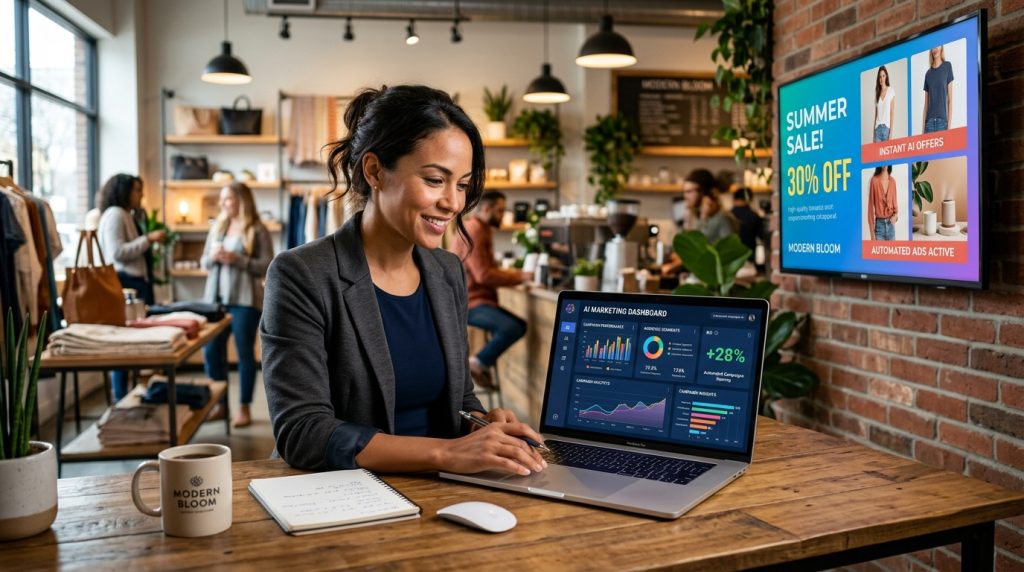
Daily specials designed and scheduled without a designer or a spare evening.
Short-dated stock cleared before it's written off, priced inside your margin rules.
Seasonal campaigns generated per store, matched to what each location actually holds.
Head office sets brand and rules; every location gets local artwork that stays on brand.
Only if you switch that on. The default is that generated content waits for approval, and you can allow auto-publish for specific campaign types once you trust it.
It's built inside your brand guardrails — your colours, fonts and logo — and you can open any design in Canva and adjust it before it goes out.
Your POS. AI Studio reads sales velocity and stock on hand, which is what lets it spot dead stock and pull sold-out promos automatically.
No. You set a floor and the engine works inside it. Items you never want discounted can be excluded entirely.
Screen-ready output for your displays, plus formats for Google posts and social — from the same prompt.
Not for day-to-day promotions. Most teams keep a designer for brand-level work and let AI Studio handle the daily and weekly output.
We'll generate it live on the call, in your brand, and put it on a screen before you hang up.