
Keep Your Customers in the Loop, Anywhere
From the kitchen to the pocket. Provide a seamless waiting experience with automated WhatsApp/SMS alerts and a live tracking page for every order.
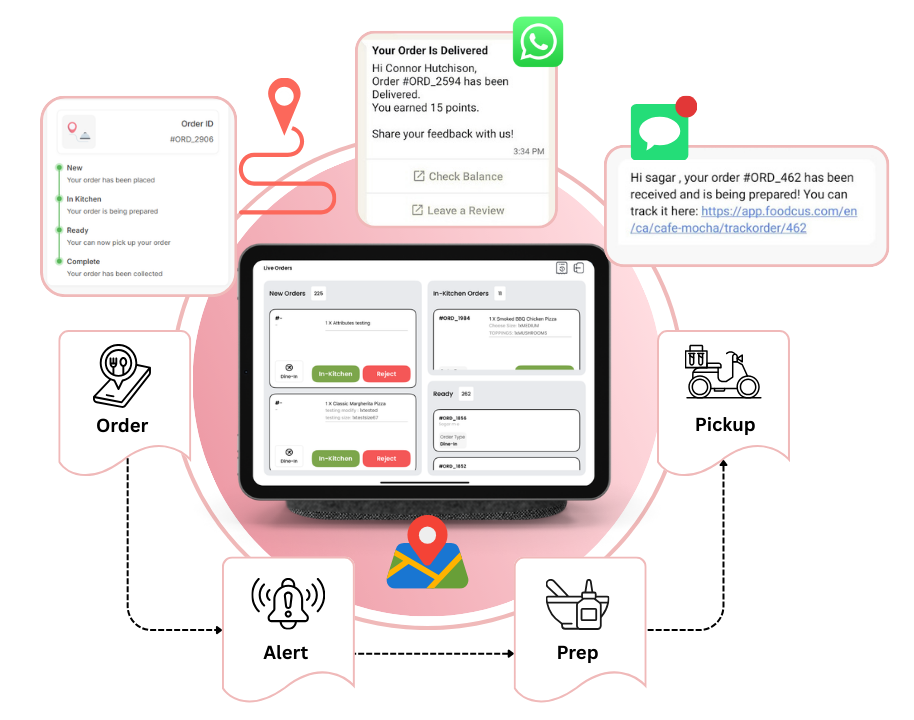
Beyond the Lobby: A 360° Tracking Experience
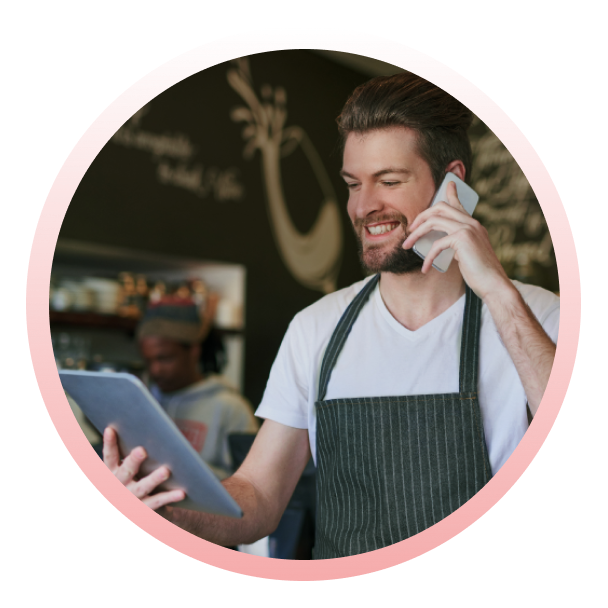
Waiting shouldn't mean being "stuck" in a waiting area. With Fooocus, you give your customers the freedom to wait where they want—in their car, at a nearby shop, or at their table—while staying perfectly synced with your kitchen.
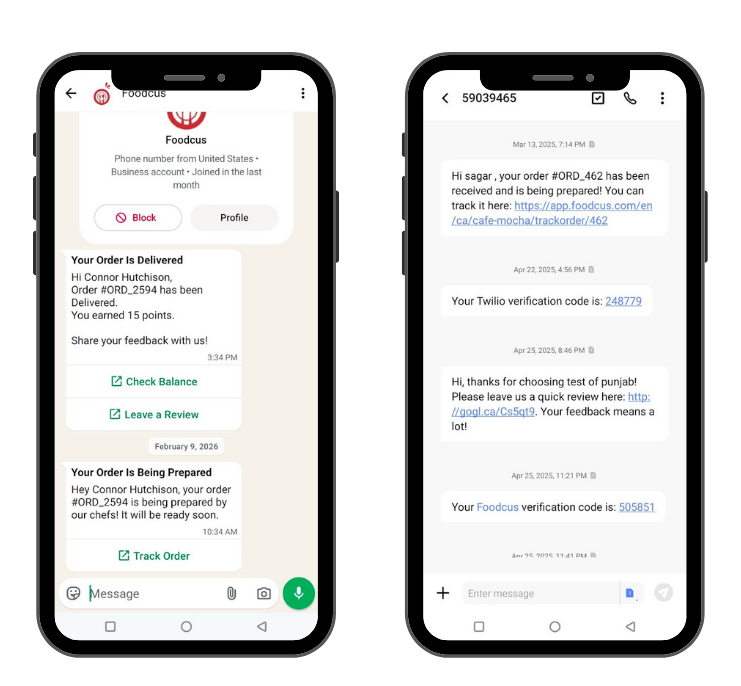
Automated WhatsApp & SMS Alerts
No more shouting names or handing out clunky buzzers.
- Instant Confirmation: Customers receive a "Thank You" message with their order details the moment they pay.
- Status Updates: Automated triggers send a message when the kitchen starts preparing the meal.
- The "Ready" Ping: A final notification lets them know it’s time to head to the pickup counter.
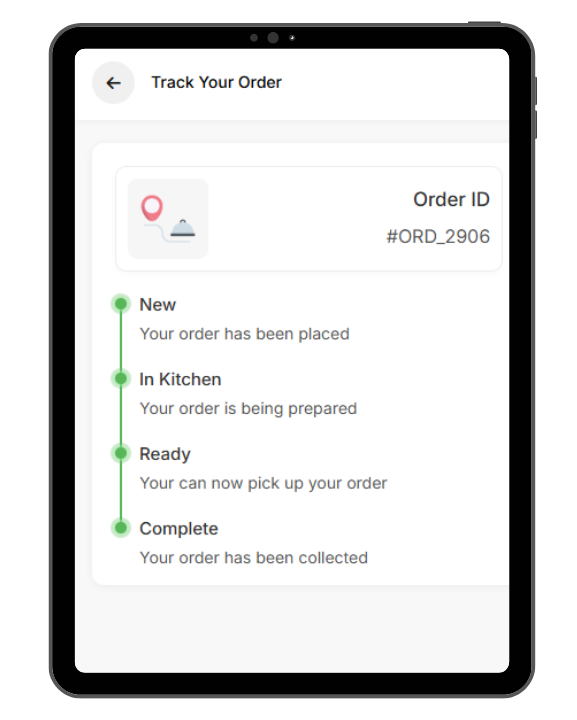
The Personal Live Tracking Link
Every order comes with a unique, mobile-optimized tracking URL sent via text.
- Visual Progress: A real-time progress bar (e.g., Received → Preparing → Ready).
- Interactive Branding: Use this page to showcase daily specials, social media links, or loyalty program sign-ups while they wait.
- No App Required: Customers simply click the link in their message; no downloads, no friction.
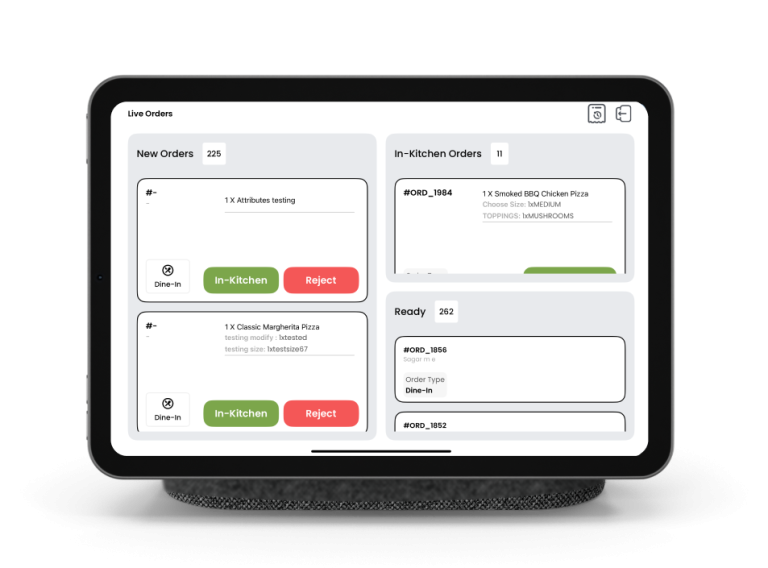
KDS Integration: The Brains of the Operation
Everything is driven by your Fooocus Kitchen Display System (KDS).
- When your chefs tap "Start" on the KDS, the customer's tracking link updates instantly.
- When the order is "Bumped" (completed), the SMS/WhatsApp is fired off automatically.
- Zero extra work for your staff—the system handles the communication.
Why It’s a Game Changer for Your Business
WhatsApp Integration
High open rates and familiar branding for customers.
Live Web Tracking
Reduces "Status Anxiety" by providing a visual countdown.
KDS Automation
Eliminates manual texting; the kitchen's workflow drives the updates.
Digital Screen Sync
For those waiting in-store, your digital boards stay perfectly in sync with the mobile links.
How it Looks in Action
.
OrderA customer places an order via your POS or QR code.
.
AlertThey instantly get a WhatsApp: "Hey [Name], we've got your order #124! Follow live here: [Link]"
.
PrepThe kitchen hits "Start" on the KDS; the link shows "Chef is cooking!"
.
PickupThe KDS marks it "Ready"; the customer gets a text and their name pops up on the in-store screen.
✕


For a better experience, use our mobile app!